vssue gitee 使用教程
背景
近期想重新整理一下博客了,作为自己的一些技术积累,方便自己日后翻阅,并且日后如果有了新的感悟可以进行迭代。
以前使用Github Pages搞过(实际上只是折腾搭个博客,文档没写几篇,现在这个从历史经验看大概率也是这个下场),
后来看了小林coding的使用vuepress搭建了个人博客,而且vue个人比较感兴趣所以打算采用vuepress重新整一下博客。
因为vssue是官方维护的评论插件,所以打算来用它作为评论系统,平台选择gitee即码云(国内的访问方便,现在代码仓库也基本用gitee了)。
应为这个vssue和gitee配合使用存在问题,才有了这篇文章。(希望作者维护一下, 毕竟我也不会整前端,只能搞个自用的解决方案)
vuepress
Vue 驱动的静态网站生成器,类似于GitHub Pages的jekyll。
目前了解主要有两种应用,一种是文档, 一种是博客。
vssue
vuepress 官方开发的评论插件,利用git平台的issue功能来实现评论功能。
目前支持多个平台,包括 GitHub, GitLab, Bitbucket, Gitee 和 Gitea。
码云的插件为@vssue/api-gitee-v5
码云评论插件
码云评论插件需要在码云平台上创建一个第三方应用来使用, 一般用户就可以,不需要使用企业版。
问题
使用vssue+gitee搭的评论系统, 在登录时会提示无效的登录回调地址。
这是由于码云只支持单个的url地址回调导致的。
@vssue/api-gitee-v5插件在调用码云接口时采用的回调地址为当前的url地址,如http://localhost:8080/2022/10/29/vuepress-quick-start/
而一般码云上配置的应用回调地址为http://localhost:8080/。这两个的url不匹配导致了码云评论插件无法正常使用。
官方demo也存在这个问题,但是没有维护了。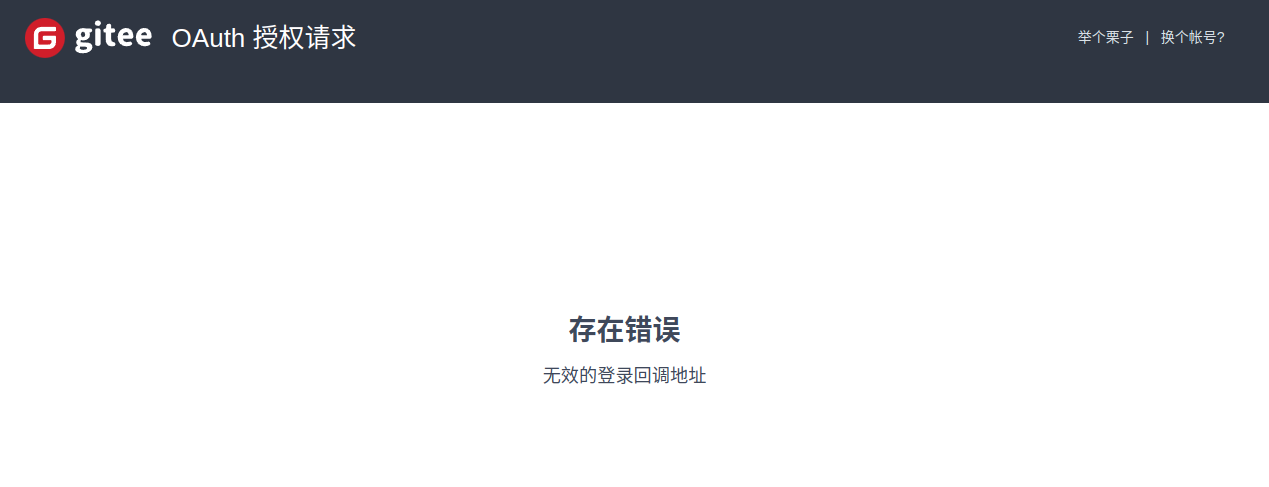
解决方法
- 请求的回调地址改为码云上配置的回调地址,并缓存当前的页面地址
- 码云回调后自动到之前的缓存地址。
修改vssue中api-gitee-v5的源码,
- 增加callbackURL参数, 此参数目前固定为当前的
window.location.protocol + '//' + window.location.host即默认的主页地址. - 去掉proxy的参数, 当前gitee平台接口已经支持CORS,需要配置代理了.而且vssue默认配置的代理已经无法访问了.
- 在向码云平台请求的接口的redirect_uri参数均改为callbackURL.
- 在向码云进行应用授权时缓存当前路径的path.使用
sessionStorage.setItem('cacheOriginPath', this.getCurrentPath());
修改博客项目的enhanceApp.js
因为主页没有评论模块,所以vssue相关代码还没有初始化,无法处理缓存的path.(可能也有办法,但在博客项目改一下也简单)
如果当前有缓存的path, 则跳转到对应的path路径下.
enhanceApp.js
1 |
|
应用
- 使用
@vuepress/theme-blog搭建好博客, 引用@vssue/api-gitee-v5码云模块并做相应的配置. - 拉取修改过的vssue项目
git clone git@gitee.com:eleksbai/vssue.git - 进入项目根路径安装依赖
cd vssue && yarn install - 编译码云评论模块
cd packages/@vssue/api-gitee-v5 && yarn build - 在码云模块路径下将编译的码云链接到系统
yarn link - 进入到博客项目, 链接刚刚编译的码云模块
yarn link @vssue/api-gitee-v5 - 运行博客项目测试效果
yarn dev